Creating The R6Hub With Claude
You don’t need to be a gamer to follow along with this project. This (Rainbow 6 Siege) AsideWhat you need to know about Rainbow Six SiegeSome background context to help understand the gaming content: Rainbow Six Siege (R6) is a competitive multiplayer video game published by Ubisoft. It receives major updates 4 times a year along with multiple smaller updates and patches. It also has a well developed pro esports scene, with teams from around the world competing in regional league play and 3-4 international events. just happened to be the first thing that struck me; the gaming content is just an example. This project/post was not sponsored by Ubisoft or anyone associated with the game
I fired up Claude. Instead of starting a new chat, I decided to start a new project using the Projects tab (here’s Claude’s official documentation on Projects). Part of the reason was organization; I figured I’d be experimenting with different ideas, but I wanted related ideas grouped together. The other part was projects have some capacity to share context easily among related chats, which I thought would be useful.
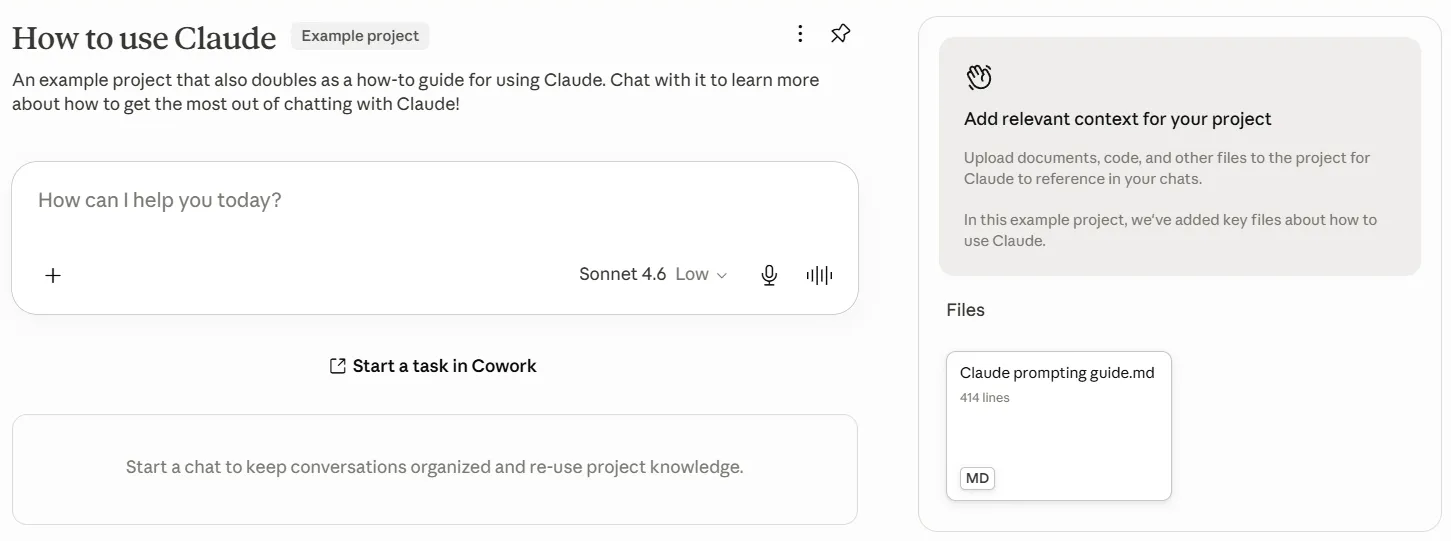
I then started a new chat with a pretty vague prompt:
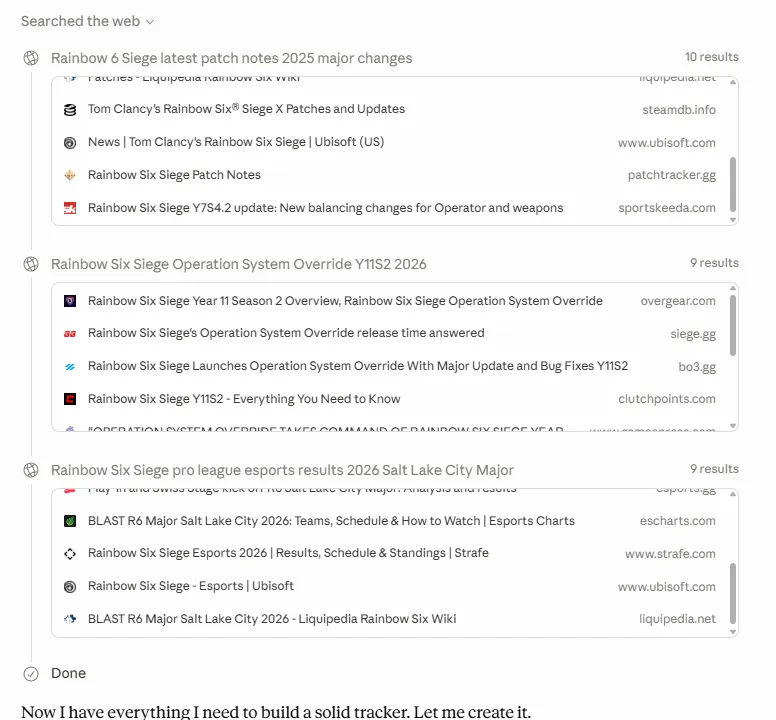
I'd like to keep up-to-date with the video game Rainbow 6 Siege. I want a summarized version of major changes. I'd also like to keep up to date with pro play. Can you create a centralized source that will track these updates?Honestly, I wasn’t expecting much. I didn’t really have a plan or intended outcome here, I wanted to see what Claude would do. Claude immediately searched the web, using reliable sources like Ubisoft patch notes, Ubisoft press releases, and reputable esports sites like Liquipedia. It then synthesized everything into a nifty interactive widget directly in the chat (I learned that these are called Artifacts). This had different tabs I could click into and presented the information I asked for in an easily scannable way.
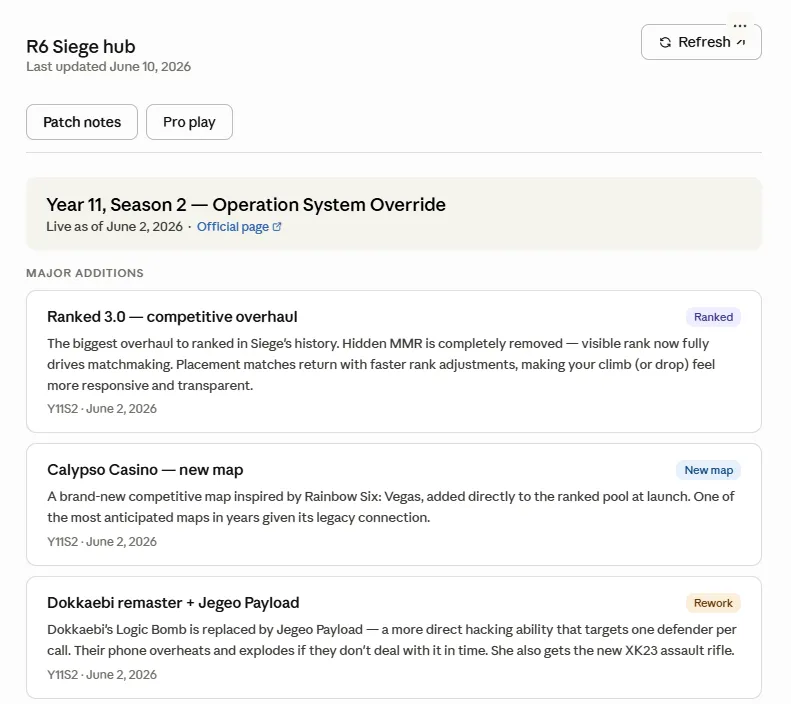
I was impressed. This outcome was significantly more sophisticated than I expected. Given this is an atypical, relatively niche topic I thought I’d get some generic output directly in the chat. The artifact was leaps and bounds beyond that. I then had several ideas to improve it further.
The rest of my session was used to refine the outcome and add some other features:
-
I asked Claude to change the Patch Notes tab to make it more scannable, and create an option to ask follow-up questions.
PromptPatch Notes Tab UpdatesShow full promptThis is a great start, but I want to tweak the functionality of the Patch Notes tab. There are 2 changes I'd like to make: 1. Summarization: the current format is hard to glance over. Can you keep the headers and the category classification, but hide the detail on each change? The outcome should be an at-a-glance overview of the key changes. 2. Interactability: Since the details of each change will be hidden, I'd like a way to dig deeper into a specific change. This functionality should let me choose a change I'm interested in and expose a short summary of the details. I also want an option to ask follow-up questions about these changes- I learned that being more specific up front is better; I initially asked for a way to “ask follow-up questions about these changes”. I expected a way to type in a concrete question, but I got an “Ask a follow-up question” button that auto-generated a random question for me. I had no control over what Claude would decide to show me next. I should have included a clear callout along the lines of: “I also want an option to ask follow-up questions about these changes. In the same view with change summary, I should have an option to manually specify a follow-up question that Claude then answers in chat.”
- In my next prompt, I had Claude refine this functionality to instead suggest 3 questions to dive deeper. The suggested questions were actually pretty decent.
PromptThe "ask a follow-up question" button automatically creates a question for me, which is less helpful. Can this be changed so that there are 3 suggested questions that explore different aspects of the change?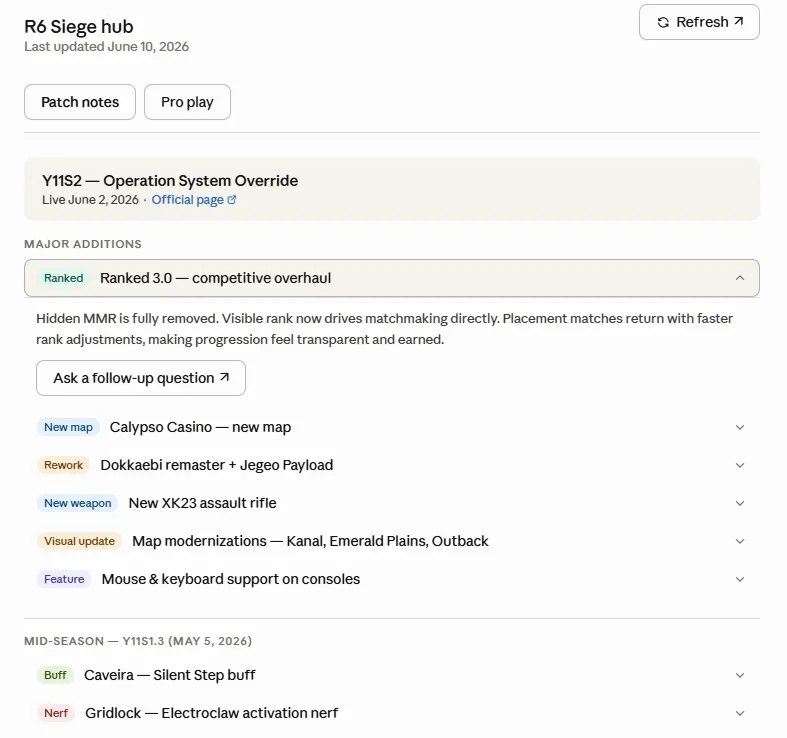
Condensed view with 'Ask a follow-up question' button 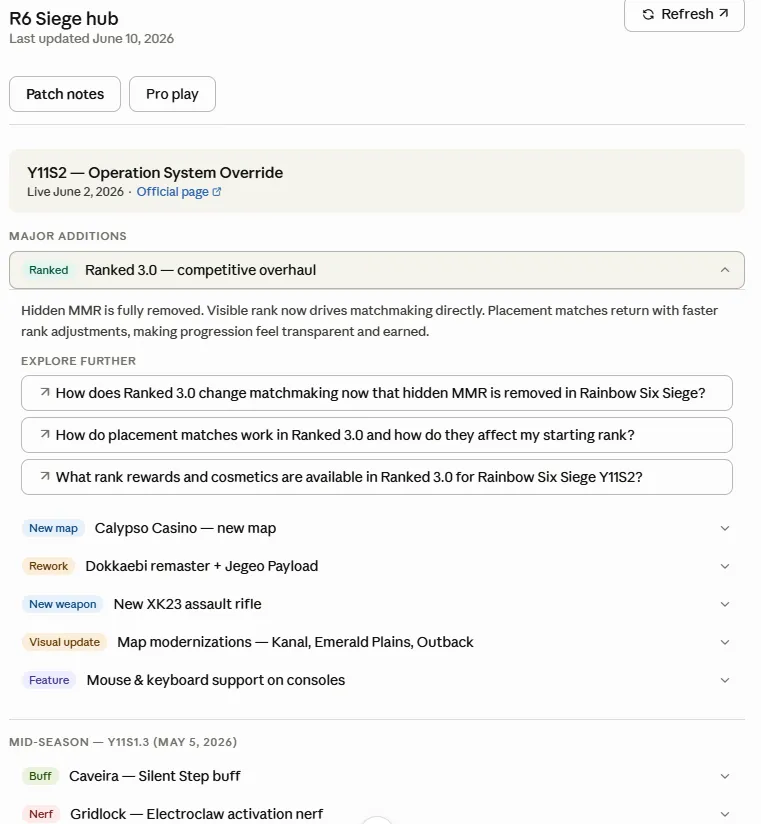
Updated with 3 suggested questions -
Next, I worked on the Pro Play tab. Learning from my Patch Notes experience, I prescribed a specific set of updates I wanted. In 1 prompt, I got a significantly more sophisticated view, and I was happy with the outcome without any other tweaking.
PromptPro Play Tab UpdatesShow full promptGreat! Let's work on the Pro Play tab now. A few changes that would be helpful: 1. Let's divide the Pro tab into sections: League play, Event information, SI standings 2. For league play, I'd like summarized standings information of all leagues (NAL, EML, SAL, APL, CNL). I'd also like information on when the next playday is. 3. For event information, I'd like information about the ongoing event. If there is no ongoing event, this should show information about the upcoming event. Helpful information will be standings, bracket visual, next match, and qualification status. At the bottom of this section, past event results should be available but hidden behind a collapsible menu. 4. For the SI Standings section, please pull the current Global Points Standings information for the upcoming Six Invitational. Along with the R6 Esports hub, use other Ubisoft websites and Liquipedia pages as sources.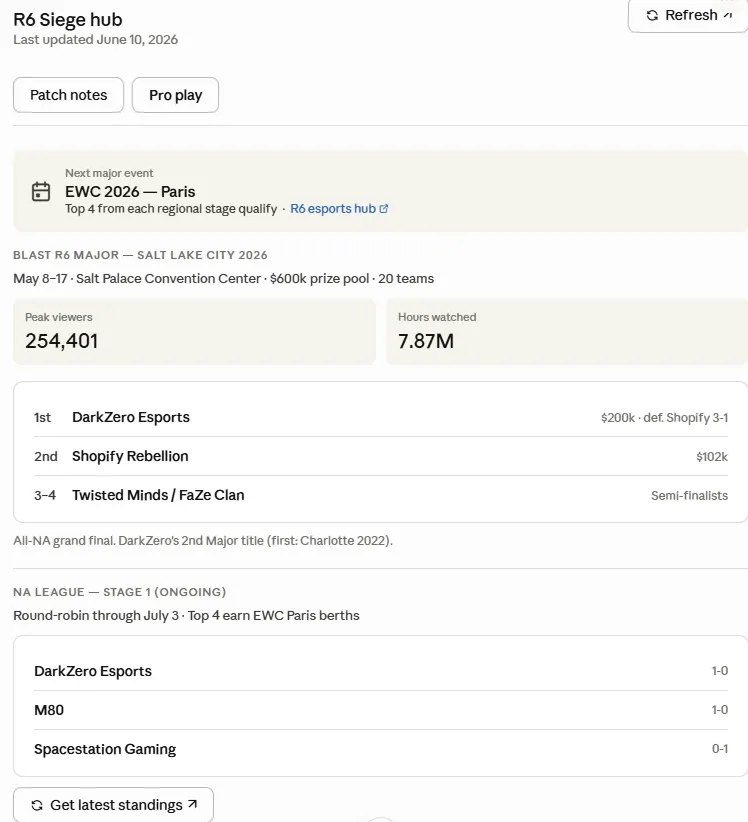
Original Pro Play view 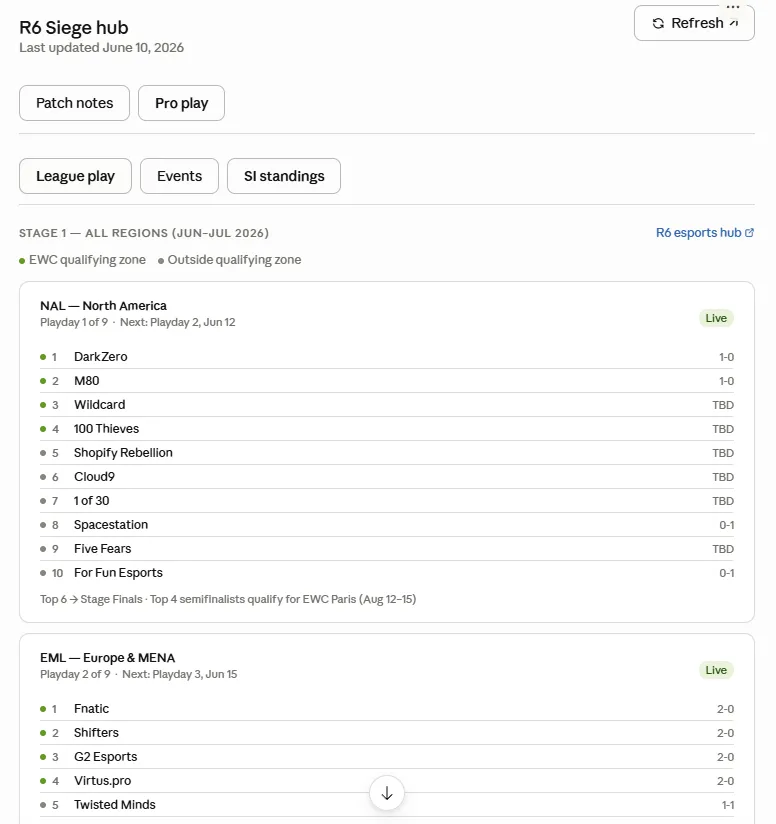
After update. Notice the detailed league play table, plus 3 sub-tabs to get information in specific events and global standings -
Finally, I decided to push the limits with a fairly arbitrary request: I asked Claude to create a “community sentiment” tab that tracked in real time how the R6 community felt about the game. I was prescriptive about the outcome I wanted (specifying I wanted an overall sentiment rating, a trendline, and a summary of key themes), but I was not specific on how I wanted this done, largely because I didn’t really know myself! Plus, I was curious what Claude would do.
PromptCommunity Sentiment Tab PromptThe Pro Play tab is much more useful now! Thank you for the updates. I'd like to add a third overall tab that tracks social sentiment about the game. I'd like an overall rating of whether sentiment is positive, ambivalent, or negative. I'd also like an indictor of the trend over the past week and past month. Lastly, I'd like a summary of the key themes people are reacting to-
I’m not sure how accurate Claude’s “sentiment” assessment was, but the outcome was again much better than I expected. Claude basically nailed the prescription, and added a couple embellishments of its own (such as an emoji to indicate the overall sentiment, and breakdown of its positive/mixed/negative ratings).
-
While the outcome was cool, I wasn’t actually sure what sources were used. I asked Claude to clarify. It told me it was primarily from gaming news coverage sites. This was useful but different from my mental model of capturing player reactions to build the “community sentiment.” (in retrospect, a failure to apply what I learned from the Patch Notes updates; this is the specificity I should have included in my initial prompt!)
-
I asked Claude to make a refinement, and this time I was specific about both what I wanted and how I wanted it done. I asked for an updated view that captured both media coverage as well as raw player input from sources like Reddit and Twitter. I wanted an aggregate sentiment score as well as individualized scores for curated media versus community sources. Again, with 1 prompt I got basically where I wanted to go, along with some nice Claude additions like notes on the sources.
PromptShow full promptI'd like a mix of the sources already used (more reliable, curated sources) and raw community spaces (let's focus on reddit and twitter). Can you make the following adjustments: 1. Include Reddit and Twitter in the community sentiment search, but keep search effort here light. I'm looking for a skim of the posts with the most activity. 2. Make the current sentiment tracker box an "Overall sentiment" score that aggregates curated sources with community sources. Continue to show the mix of positive/mixed/negative as well as a summary score. Keep the trendlines, but make them larger and more apparent. 3. Below the "overall sentiment" box, create 2 side-by-side boxes. These should replicate the sentiment analysis, but one box should only reference curated sources and the other box should only reference community sources. -
One thing I learned: Reddit is a bad source idea since it blocks AI scraping. Impressively, Claude automatically pivoted to completely different community sources like TikTok and Steam discussion threads.
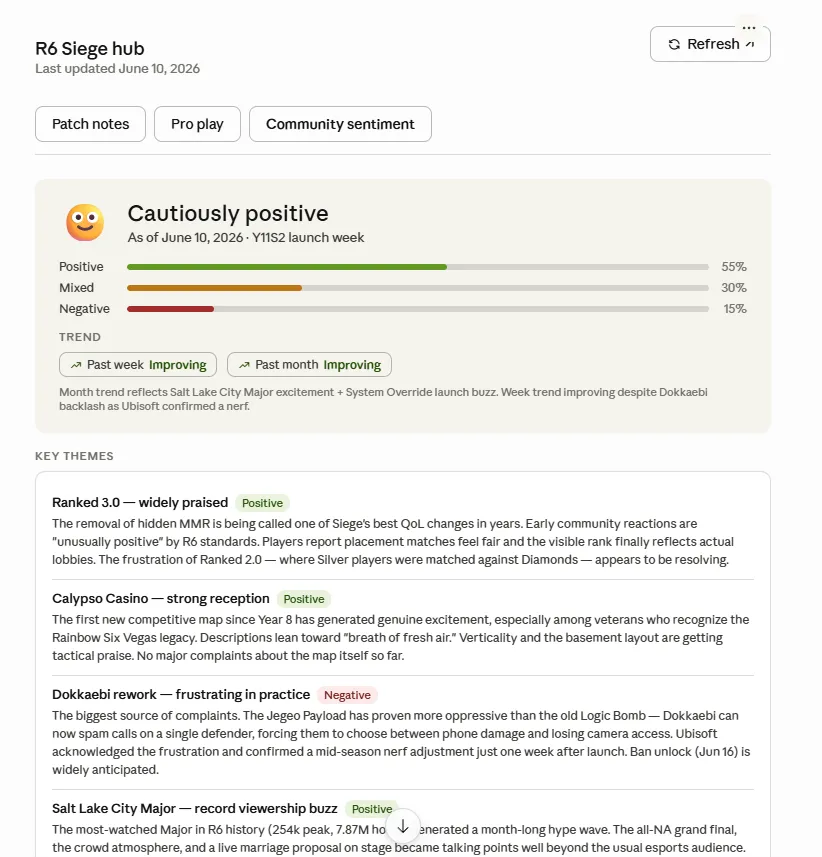
Community Sentiment tab v1 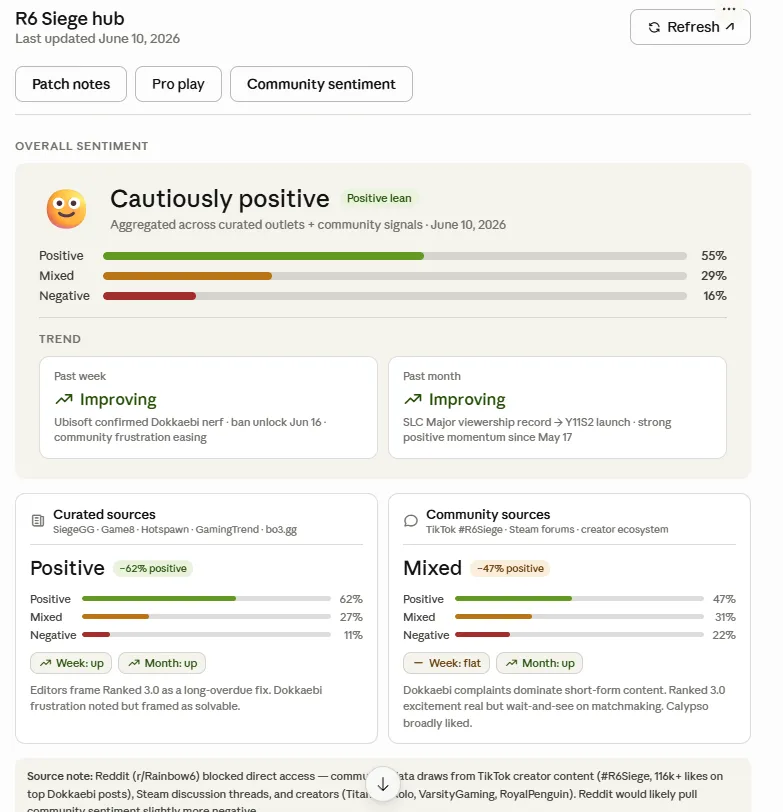
Revised Community Sentiment tab with distinction between Community and Curated sources -
I ended the initial build session there. While I had heard multiple rave reviews on how good AI is now, I was still blown away experiencing it first-hand. In less than an hour, Claude had built this whole tracker, including navigating some vague prompts, niche subject matter, complex ideas, and several reworks.
The product still needed some cleanup - not all the information was accurate, for example - but to get to 80% in so little time and from a barely formed initial idea was incredible. While I had intended for this to just be a foray into the world of AI, I was now curious how useful I could make this tracker. Could this be an accurate, self contained source that I could use as a single reference source for R6 content?
In my next Notebook entry for this project, I talk about how I spend way too long wrestling with small improvements and refinements to this tracker. If you’d like to see the whole Claude chat, here is the link (note: ignore the final prompt where I ask for feedback. That’s the subject of a future project! I also don’t recommend this as a way of getting feedback): https://claude.ai/share/7d9891b2-0bf5-47b0-893f-5120a0c6ff0d